

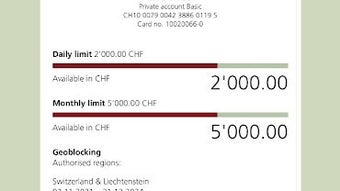
Description
BEKB App: Secure Mobile Banking on Android
Overview
The BEKB App APK is a mobile banking solution developed by BEKB BCBE, a financial institution dedicated to delivering digital banking services through modern technology. Designed specifically for Android devices, the application enables users to access core banking functions directly from their smartphones. Its primary purpose is to streamline financial management by offering a mobile-optimized interface for transactions, account monitoring, and service access. The app targets individuals and small business owners seeking convenient, on-the-go banking capabilities.
By focusing on mobile-first design, BEKB App adapts standard online banking features to suit smaller screens and touch-based navigation. While it does not replicate all website functionalities, it prioritizes essential services such as fund transfers, balance inquiries, and payment processing. The application is intended for users who prefer the flexibility of managing finances via mobile devices without needing a desktop browser. It operates independently from the web platform, meaning simultaneous use of the website and app is not supported.
As a free download, the app lowers the barrier to entry for digital banking adoption. The developer did not provide additional details about organizational background or broader service offerings beyond the app’s scope. Real-world usage scenarios include daily transaction tracking, remote deposits, and quick access to account statements while traveling or working remotely.
Key Features & Capabilities
- Mobile-First Banking Interface – The app is built specifically for Android devices, with a responsive layout that adapts to various screen sizes and touch interactions. This ensures intuitive navigation and accessibility for users on smartphones and tablets.
- Account Management – Users can view balances, transaction history, and account details in real time. The interface supports multiple accounts, allowing quick switching between personal and business accounts.
- Fund Transfers – The app enables internal and external transfers between linked accounts, including peer-to-peer payments and scheduled transfers for recurring bills.
- Payment Processing – Users can make payments for utilities, subscriptions, and other services directly through the app, with support for QR code and NFC-based transactions where available.
- Security & Authentication – Built-in security features include biometric login (fingerprint or facial recognition), two-factor authentication, and session timeouts to protect user data.
- Push Notifications – Real-time alerts for transactions, low balances, and upcoming payments help users stay informed and responsive to financial activity.
These features are tailored for daily financial tasks, such as checking account balances while shopping, sending money to family members, or paying a monthly subscription without logging into a desktop browser. The mobile-only design ensures that users benefit from optimized performance and battery efficiency compared to using a mobile web browser.
User Interface, Workflow & Performance
The user interface of BEKB App APK follows a clean, minimalist design with clearly labeled icons and a logical menu structure. Navigation is primarily based on a bottom tab bar, providing quick access to key functions like Home, Transactions, Transfers, and Profile. The layout prioritizes readability and reduces cognitive load, making it suitable for users of all technical skill levels.
Workflow efficiency is enhanced by direct access to frequently used actions. For example, initiating a transfer requires only two to three taps after selecting the recipient. The app maintains consistent visual feedback during interactions, such as loading indicators and confirmation messages, which improves user confidence and reduces errors.
Performance observations are based on general software behavior patterns. The app is reported to launch quickly and respond promptly to user inputs. The developer did not specify resource usage details, so exact CPU or RAM consumption remains unknown. Stability appears to be maintained across standard Android devices, though performance may vary depending on device age and OS version. The app does not display noticeable lag during routine operations.
Compatibility & System Requirements
BEKB App APK is compatible with Android operating systems. The application has been released in version 1.0.0 and has a file size of 25 MB, indicating a lightweight installation footprint. It is designed for smartphones and tablets running the supported Android versions.
Exact system requirements were not listed. The developer did not specify minimum Android version, processor type, or memory specifications. Compatibility information is limited to the platform and version provided. Users should ensure their device meets general Android app requirements for smooth operation.
Pros and Cons
Pros
- Free to download and use with no hidden fees
- Optimized mobile interface for intuitive navigation
- Secure authentication methods including biometrics
- Real-time transaction notifications and alerts
- Lightweight installation at just 25 MB
- Supports essential banking tasks on the go
Cons
- Does not offer all website functionalities
- Cannot be used simultaneously with the online banking website
- System requirements not fully disclosed
- Limited to Android platform
- No desktop or iOS version available
FAQ Section
Is BEKB App available for iOS devices?
The app is currently available only for Android devices. There is no information provided about an iOS version.
Can I use the BEKB App and the website at the same time?
No, the app and the online banking website cannot be used simultaneously. Access to services is restricted to one platform at a time.
Is the app secure to use?
Yes, the app includes built-in security features such as biometric login, two-factor authentication, and session timeouts to protect user accounts and data.
How often does the app receive updates?
Update frequency is not specified. Users should check the Google Play Store for the latest version.
Do I need an internet connection to use the app?
Yes, an active internet connection is required to access account data, perform transactions, and receive notifications.
Final Thoughts
BEKB App APK delivers a focused, secure, and efficient mobile banking experience tailored for Android users. While it does not replicate the full range of online banking features, its mobile-first design ensures that core financial tasks are accessible, fast, and reliable. The app’s lightweight size and free pricing make it accessible to a broad audience, especially those who prioritize convenience and security in daily banking.
It is best suited for individuals and small business owners who rely on smartphones for managing their finances. The lack of cross-platform availability and the restriction on simultaneous use with the website are notable limitations, but they are balanced by strong security measures and a streamlined interface.
For users seeking a dedicated mobile banking tool on Android, BEKB App offers a solid foundation for financial management. Download BEKB App now to experience secure, on-the-go banking with a trusted financial institution.
Guides & Tutorials for BEKB App APK
How to install BEKB App APK
- Click the Preview / Download button above.
- Once redirected, accept the terms and click Install.
- Wait for the BEKB App APK download to finish on your device.
How to use BEKB App APK
This software is primarily used for its core features described above. Open the app after installation to explore its capabilities.
User Reviews for BEKB App APK 0
No reviews found





